Managed Configurations
Troubleshooting Managed configurations
"No Managed Configurations available for this package"
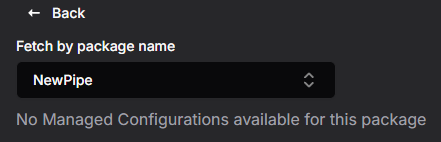
The app does not support managed configurations. For a Google Play app there is nothing to do — the app simply has no configurable settings. For an uploaded APK this means the APK declares no restrictions; if the app should be configurable, check with the app's developer that the restrictions are included in the APK.
"Managed configuration with this name already exists in this enterprise"
Choose a different Description name.
"Cannot delete managed configuration because it is used in configuration"
The configuration is used by an Application policy or as a device group's client configuration. Remove it from use, then delete it again.
A warning triangle is shown next to the package name
The package's restriction structure has unfinished settings — the warning lists them, for example Property 'colors' of type 'Choice' should have selectable values defined. Complete the structure under Applications → APK Restrictions Structure, then continue.
A placeholder like %store_id% appears on the device unchanged
The Application policy using the configuration did not fill in the placeholder. Open the policy and enter a value for it in the Managed Configuration section.
The Create button cannot be selected
A Description name and at least one selected setting are required before the configuration can be created.
Devices did not receive changed values
After editing a configuration, the device groups that deliver it are marked Out of Sync. Open the Device Groups page and sync them.